
Final Details
the proof I deserve college credit and also to pass this class
Row of contents
Fun thing to note most of the rubric rules require you too review the code of the game, I believe most if not all code requirements have been met so to make it easier for you to read them and for me to double check I’m gonna list up each code requirement and connect it to a section of my game’s code with a neat little description as well, so here’s a table of links across this page that make it easy to go to any wanted rubric requirement instantaneously:
Object-Oriented Programming
- Writing Classes, Create minimum 2 custom character classes extending base classes Code review: Player.js, NPC.js, Enemy.js,
- Methods & Parameters, Implement methods with parameters (e.g., collisionHandler(other, direction)) Code review: Method signatures with 2+ parameters
- Instantiation & Objects, Instantiate game objects in GameLevel configuration Code review: GameLevel setup objects
- Inheritance (Basic), Create class hierarchy with 2+ levels (e.g., GameObject → Character → Player) Code review: extends keyword, inheritance chain
- Method Overriding, Override parent methods (update(), draw(), handleCollision()) Code review: Polymorphic implementations
- Constructor Chaining, Use super() to chain constructors Code review: super(data, gameEnv) calls
Lastly, the rubric objectives will be separated across pages depending on their category so here on the first of these pages that link to each other, the first category we will cover is … OBJECT-ORIENTED PROGRAMMING!!!
Writing Classes
Writing classes means litterally just making a class, the was litterally seen in, bullet.js and here **,
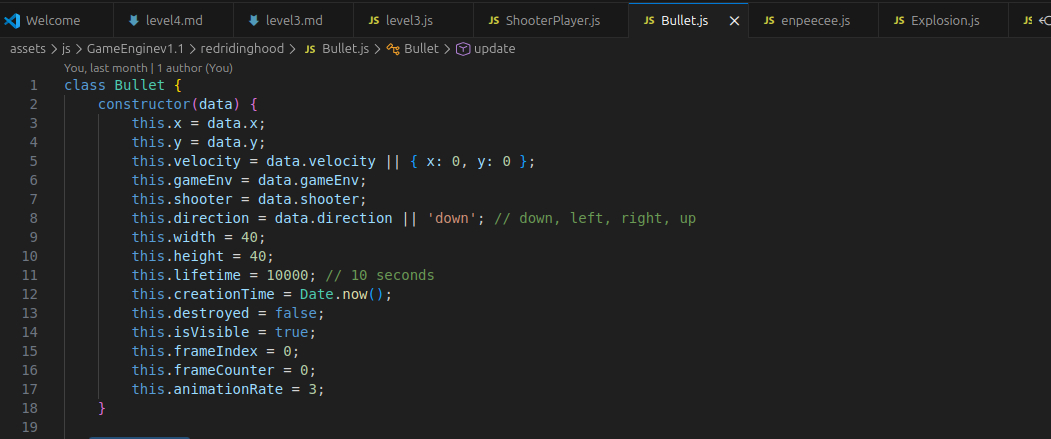
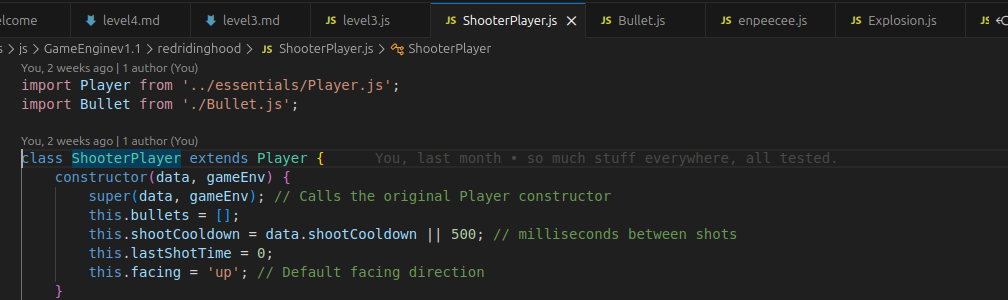
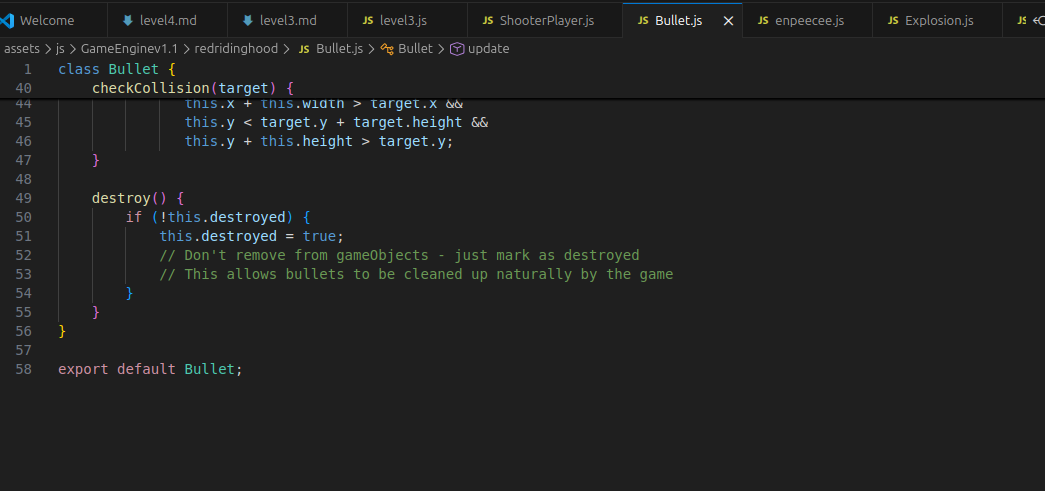
and in many more places, I’d be suprised if you made a game with 1 or no classes at all failing this objective spectacularly! Overall classes don’t just cover the constructor, they cover 90% of these .js files look how little there is after the end of the bullet.js class that isn’t class code (it’s what’s there after the yellow })
class Bullet {
    constructor(data) {
        this.x = data.x;
        this.y = data.y;
        this.velocity = data.velocity || { x: 0, y: 0 };
        this.gameEnv = data.gameEnv;
        this.shooter = data.shooter;
        this.direction = data.direction || 'down'; // down, left, right, up
        this.width = 40;
        this.height = 40;
        this.lifetime = 10000; // 10 seconds
        this.creationTime = Date.now();
        this.destroyed = false;
        this.isVisible = true;
        this.frameIndex = 0;
        this.frameCounter = 0;
        this.animationRate = 3;
    }

    update() {
        // Move the bullet continuously in its direction
        this.x += this.velocity.x;
        this.y += this.velocity.y;

        // Check lifetime (10 seconds)
        if (Date.now() - this.creationTime > this.lifetime) {
            this.destroy();
            return;
        }
    }

    draw() {
        if (this.destroyed) return;

        // Always show yellow cube
        this.gameEnv.ctx.fillStyle = 'yellow';
        this.gameEnv.ctx.fillRect(this.x, this.y, this.width, this.height);
    }

    checkCollision(target) {
        if (this.destroyed || !target) return false;

        return this.x < target.x + target.width &&
               this.x + this.width > target.x &&
               this.y < target.y + target.height &&
               this.y + this.height > target.y;
    }

    destroy() {
        if (!this.destroyed) {
            this.destroyed = true;
            // Don't remove from gameObjects - just mark as destroyed
            // This allows bullets to be cleaned up naturally by the game
        }
    }
}

export default Bullet;
what this code has
Class Declaration
class Bullet
means this creates a blueprint for “bullet”. If this were a player class, it could be used to make player objects
Constructor
constructor(data) {
The constructor runs automatically when a new object is created.
It sets up the bullet’s starting data.
“this”
        this.x = data.x;
        this.y = data.y;
        this.velocity = data.velocity || { x: 0, y: 0 };
        this.gameEnv = data.gameEnv;
        this.shooter = data.shooter;
        this.direction = data.direction || 'down'; // down, left, right, up
        this.width = 40;
        this.height = 40;
        this.lifetime = 10000; // 10 seconds
        this.creationTime = Date.now();
        this.destroyed = false;
        this.isVisible = true;
        this.frameIndex = 0;
        this.frameCounter = 0;
        this.animationRate = 3;
    }
this stores values inside the current object.
Each bullet object gets its own: x (data), y (data), velocity (x,y axis), gameEnv, shooter, direction, width, height, lifetime, creationTime, destroyed (t/f statement), isVisible (t/f statement), frameIndex, frameCounter, animation Rate.
shoot function in shooterplayer.js
    shoot() {
        const currentTime = Date.now();
        if (currentTime - this.lastShotTime < this.shootCooldown) return;

        this.lastShotTime = currentTime;

        // Create bullet data based on facing direction
        let velocity = { x: 0, y: 0 };
        switch (this.facing) {
            case 'up': velocity.y = -6; break;
            case 'down': velocity.y = 6; break;
            case 'left': velocity.x = -6; break;
            case 'right': velocity.x = 6; break;
        }

        const bulletData = {
            x: this.position.x + this.width / 2 - 20,
            y: this.position.y + this.height / 2 - 20,
            velocity: velocity,
            gameEnv: this.gameEnv,
            shooter: this,
            direction: this.facing
        };

        const bullet = new Bullet(bulletData);
        this.bullets.push(bullet);
        this.gameEnv.gameObjects.push(bullet);
        console.log('Bullet spawned at', this.position.x, this.position.y, 'facing', this.facing);
    }
Attributes / Properties Stores object state/data
Example of purely attributes (it can cover any subject though):
        this.width = 40;
        this.height = 40;
the “extends” phrase covers the subject of inheritance (from character code)
class Character extends GameObject {this means Character inherits data from GameObject
super is used in a child class to access things from the parent class.
constructor(data = null, gameEnv = null) {
    super(data, gameEnv);
}
Creating an Object From the Class
const bullet = new Bullet(bulletData);
this creates a new bullet object
Using the Object
Input:
this.bullets.forEach(bullet => bullet.destroy());
Output:
// Clean up bullets when player is destroyed
Input:
this.bullets = this.bullets.filter(bullet => {
Output:
// Remove destroyed bullets
Input:
        const bullet = new Bullet(bulletData);
        this.bullets.push(bullet);
        this.gameEnv.gameObjects.push(bullet);
Output:
console.log('Bullet spawned at', this.position.x, this.position.y, 'facing', this.facing);
Methods & Parameters
Methods
Methods are actions the object can perform.
This class has: update(), draw(), destroy(), checkCollision(target).
Parameters
checkCollision(target) {
“target” is a parameter passed into the method.
Methods and Parameters covers stuff like handlers too, and although there are uses of “handle”’s in level3.js, the only 2 times “handler” appears in my custom code (it may also be in player.js) is in the variant version I made of Npc.js called enpeecee.js which has slightly different styles of functions while keeping the original Npc.js available for other use, here they are, one for he destroy function, and the other for clean up work!
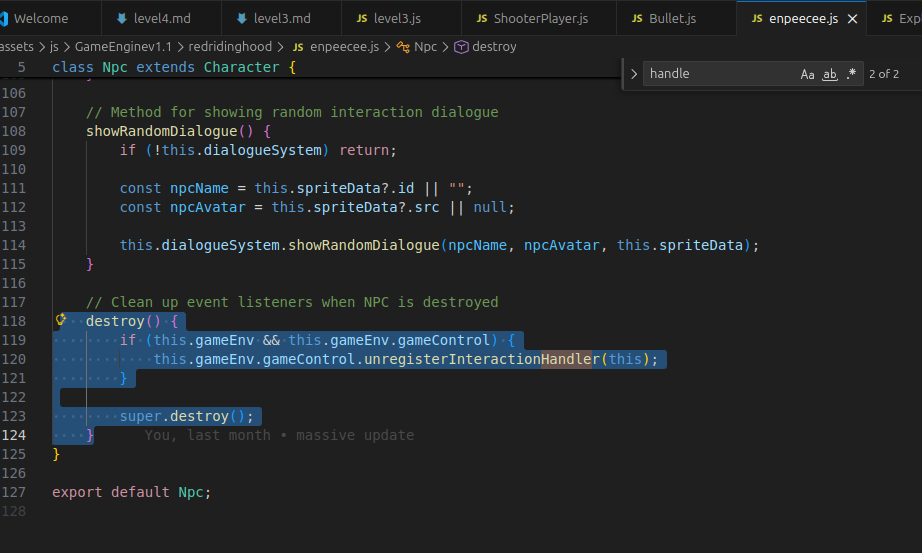
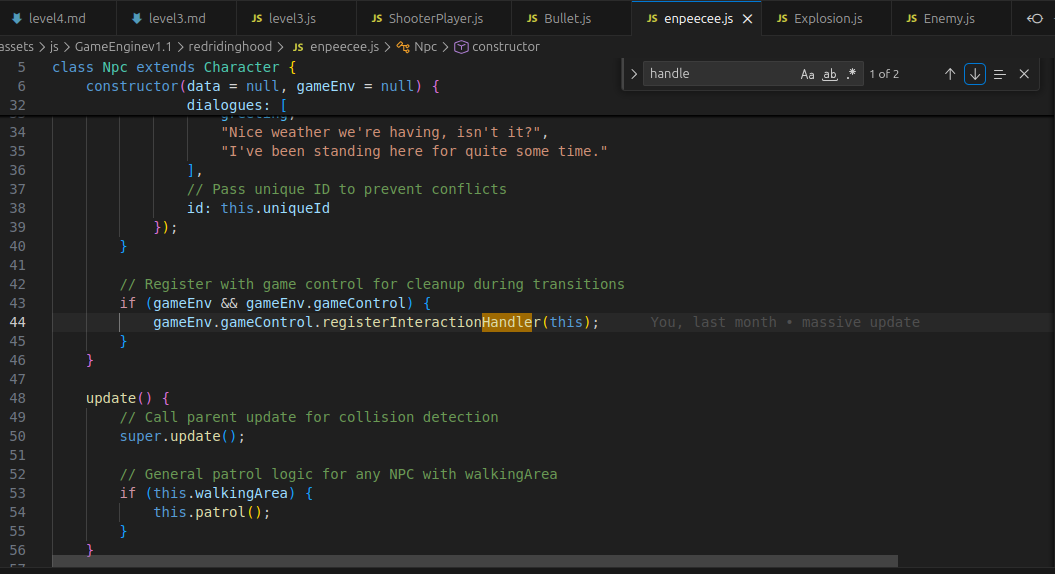
destroy and update are the methods here
more examples of methods and parameters
   update() {
        if (this.gameOver) return;

        // Get player from game objects (created by GameLevel system)
        const player = this.gameEnv.gameObjects.find(obj => obj instanceof ShooterPlayer);
        if (!player) return;

        // Spawn enemies every 3 seconds
        const currentTime = Date.now();
        if (currentTime - this.lastSpawnTime > this.enemySpawnRate) {
            this.spawnEnemy();
            this.lastSpawnTime = currentTime;
        }

        // Update enemies and remove expired ones
        this.enemies.forEach((enemy, index) => {
            enemy.update();
            // Remove enemy after 5 seconds if not shot
            if (currentTime - enemy.spawnTime > this.enemyLifetime) {
                enemy.destroy();
                this.enemies.splice(index, 1);
            }
        });

        // Check bullet collisions with enemies
        player.bullets.forEach(bullet => {
            this.enemies.forEach((enemy, enemyIndex) => {
                if (bullet.checkCollision(enemy)) {
                    // Create hit marker at enemy position
                    const hitMarker = new HitMarker(
                        enemy.x + enemy.width / 2, // Center of enemy
                        enemy.y, // Top of enemy
                        this.gameEnv
                    );
                    this.gameEnv.gameObjects.push(hitMarker);

                    // Create explosion at enemy position
                    const explosion = new Explosion(
                        enemy.x + enemy.width / 2,
                        enemy.y + enemy.height / 2,
                        this.gameEnv
                    );
                    this.gameEnv.gameObjects.push(explosion);

                    // Enemy defeated!
                    bullet.destroy();
                    enemy.destroy();
                    this.enemies.splice(enemyIndex, 1);
                    this.score++;
                    this.scoreDisplay.textContent = `Wolves Eliminated: ${this.score}`;
                }
            });
        });
    update() {
        this.draw();
        this.collisionChecks();
        this.move();
    }
2 update methods ``` js draw() { // Clear the canvas before drawing this.clearCanvas();
    if (this.spriteSheet) {
        // Draw the sprite sheet frame
        this.drawSprite();
        // Update the frame index for animation
        this.updateAnimationFrame();
    } else {
        // Draw default red square
        this.drawDefaultSquare();
    }

    // Set up the canvas dimensions and styles
    this.setupCanvas();
} ``` > draw method  > {} usually represents an object or a block of code in JavaScript. > && means AND in code (pretty obvious use cases) <a id="instant"></a>
Instantiation & Objects
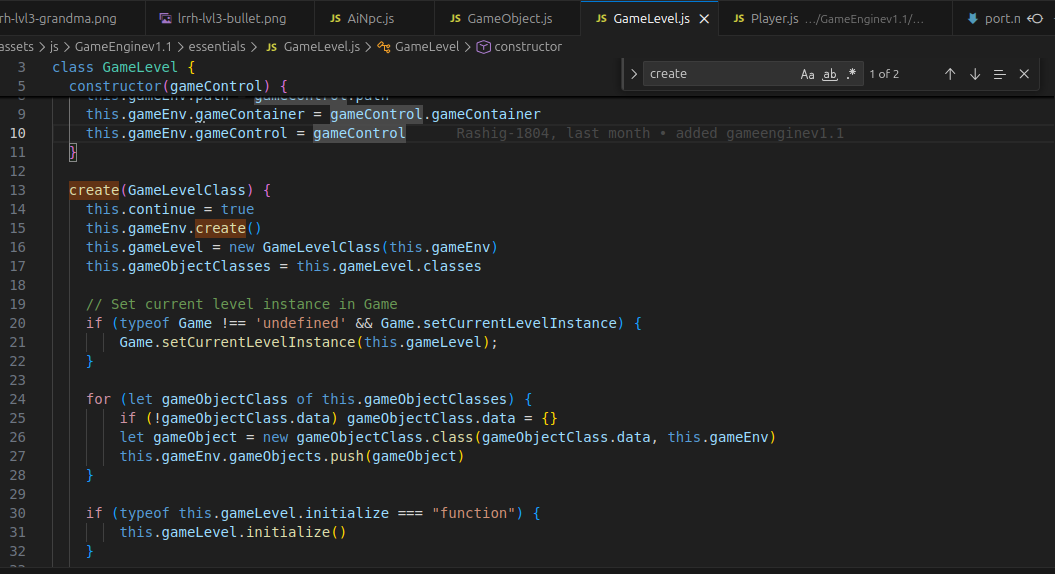
Difference Between create() and Instantiation Concept Meaning Instantiation Creating individual objects create() Setting up larger systems or environments Example const player = new Player();
Instantation uses the phrase “new”
Instantiation: creates ONE object.
GameEnv.create();
Setup method: initializes the entire environment.
            // Load the sprite sheet
            this.spriteSheet = new Image();
For this segment Instantiation and objects covers how gamelevel’s in the game engine set up objects in the game like characters, background areas, collisions, coins, bullets, etc. which for example can be seen here: in the class of Game Object constructor it sets up creates and instances which are used and applied in other parts of game object throughout all “Game Object”’s.
Inheritance (basic)
the “extends” phrase covers the subject of inheritance (from character code)
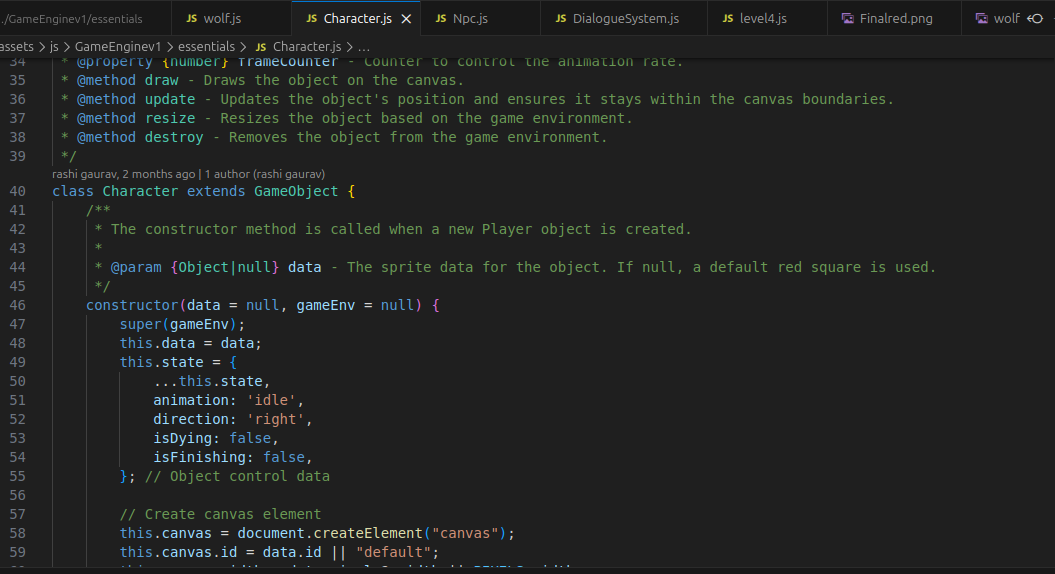
class Character extends GameObject {this means Character inherits data from GameObject
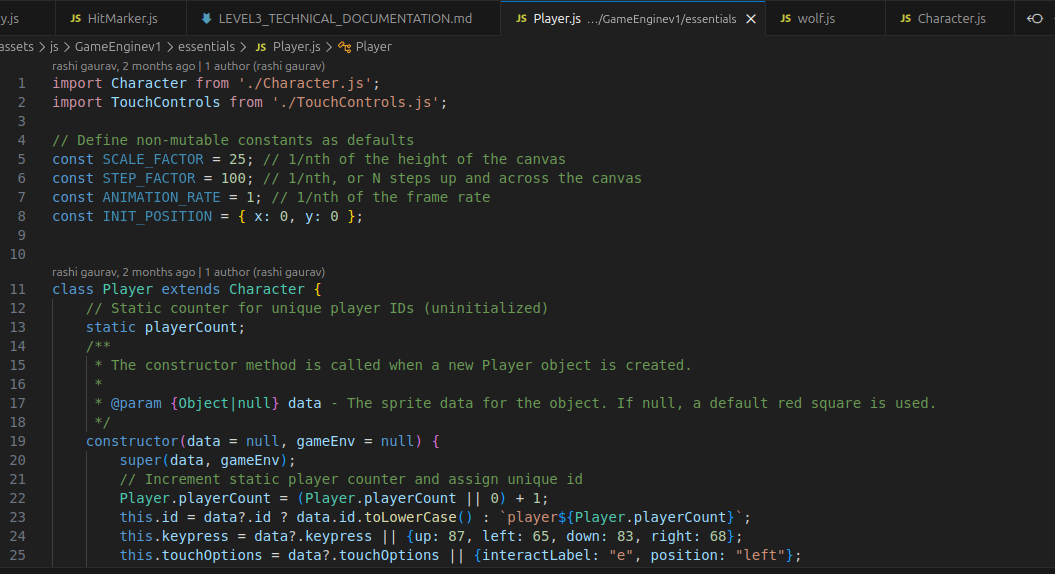
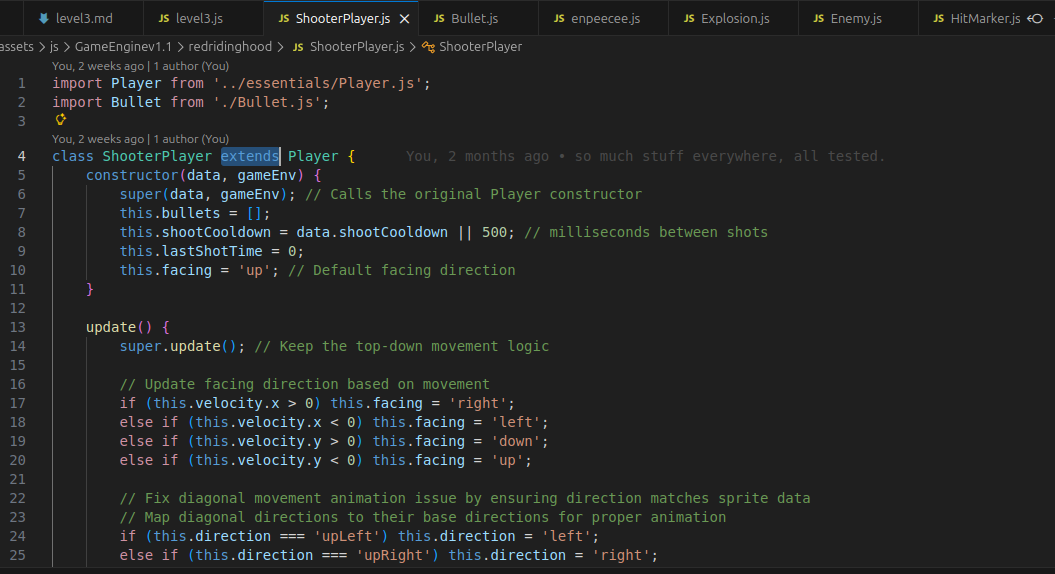
Files in the same folder (as in links in base url in sub folders and code) can inherit things from one another using objects (key words) and IMPORTING data from other files to use in something new like EXTENDING from an object to a character to a player or an enemy.
Player class:
class Player extends Character
inherits from Character.
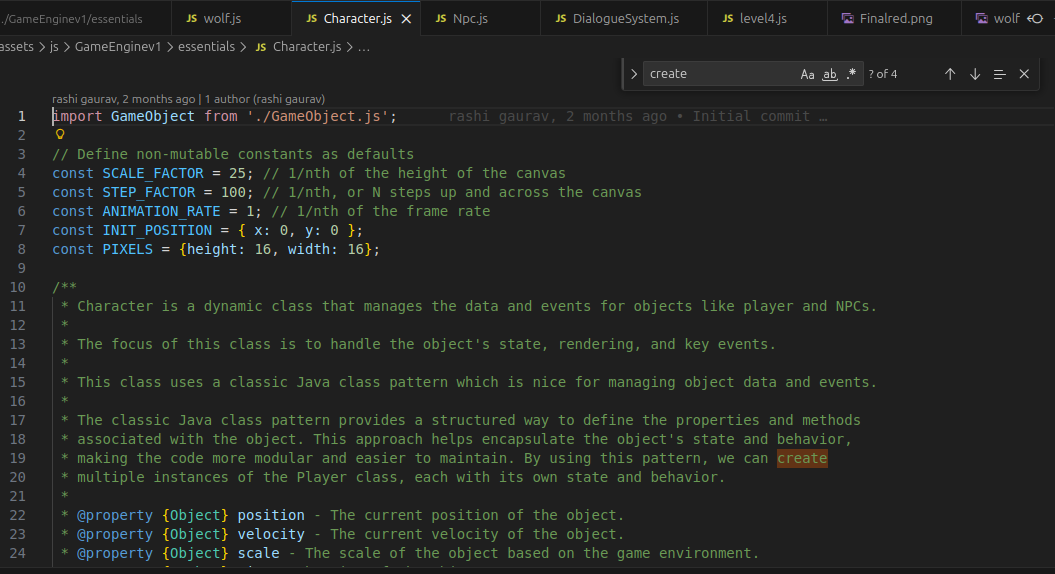
This one’s a classic, the heirarchy system of classes using phrases like “extends” it’s when a file of code is reused specified, and improved across multiple new creations of code like character.js being extend to make player.js or enemy.js, and those files extend to become shooterplayer.js and wolf.js, making grand new creations while baseing code off previous more general work, even character.js is an expansion of GameObject.js, increaseing efficiency and customization, without starting fresh every time and to produce checkpoints or landmarks of to take notes of or as an acheivement. this can be seen below:
Method Overriding
super is used in a child class to access things from the parent class.
constructor(data = null, gameEnv = null) {
    super(data, gameEnv);
}
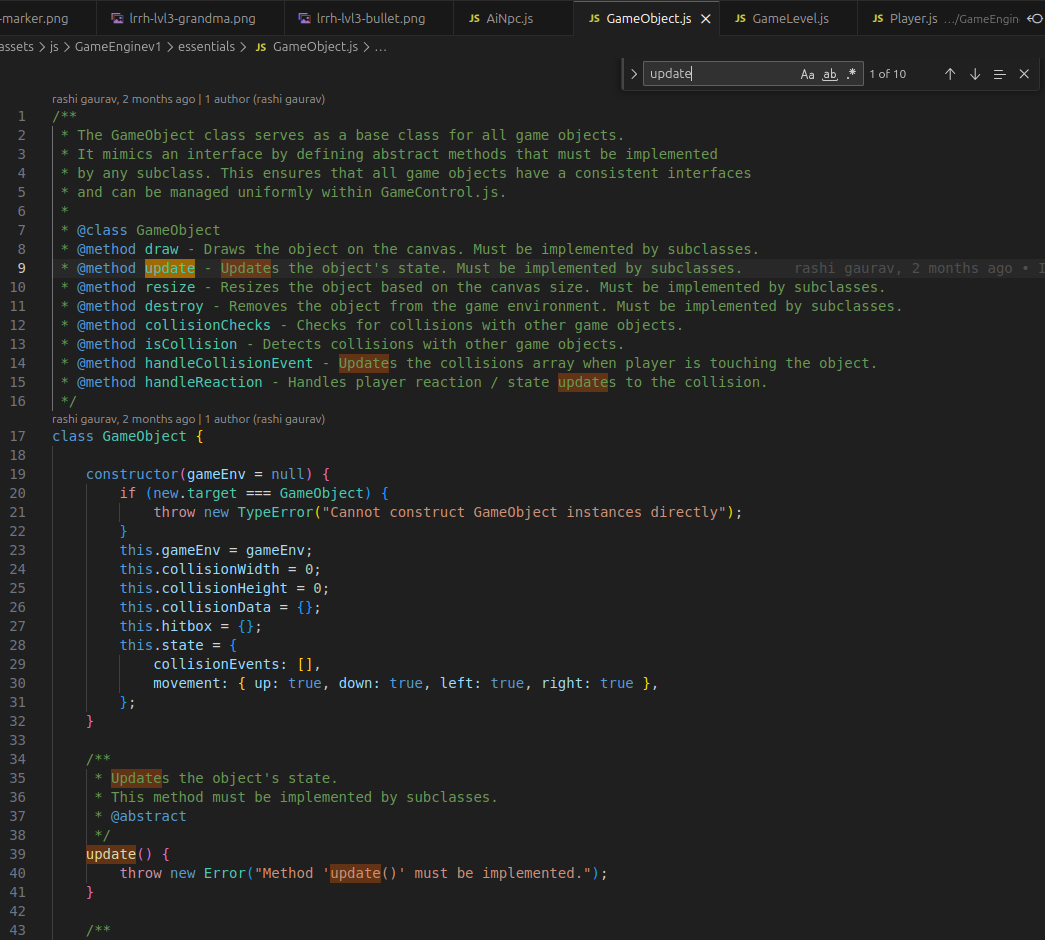
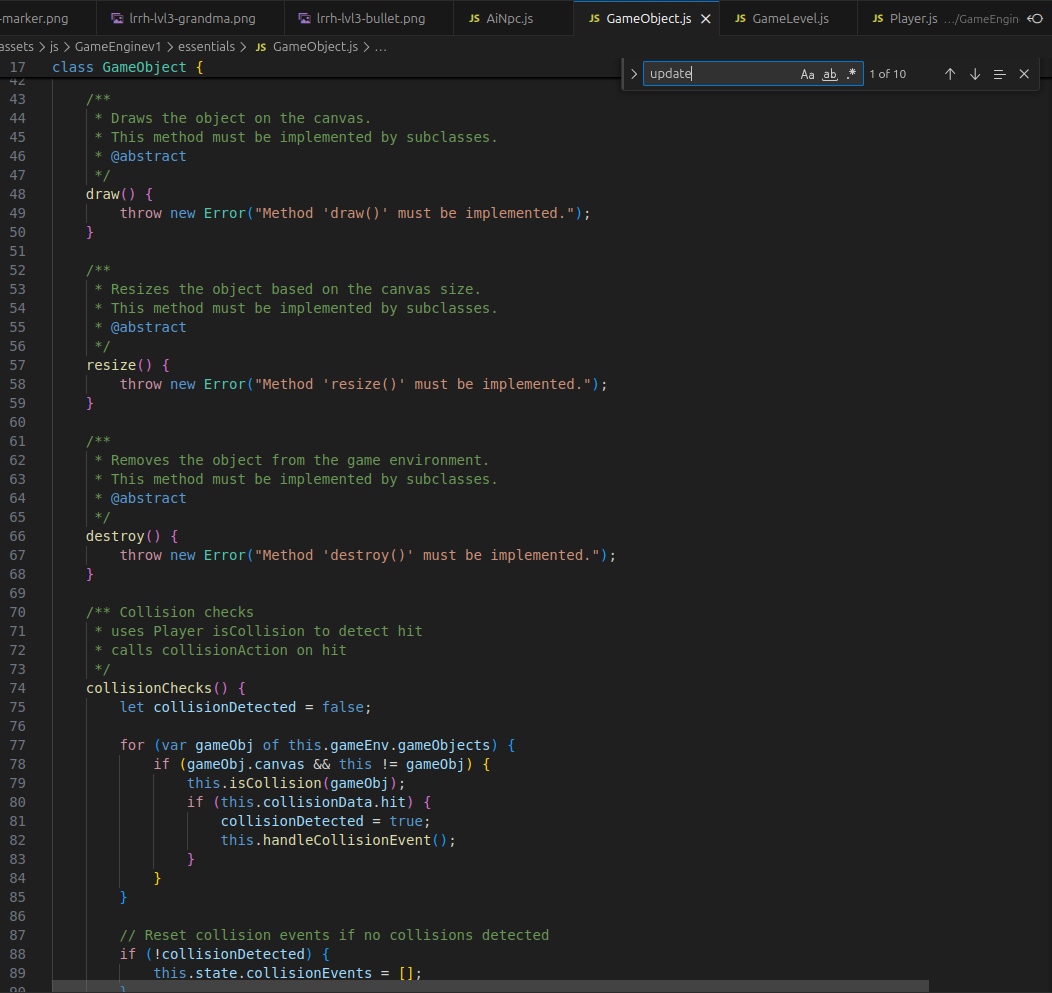
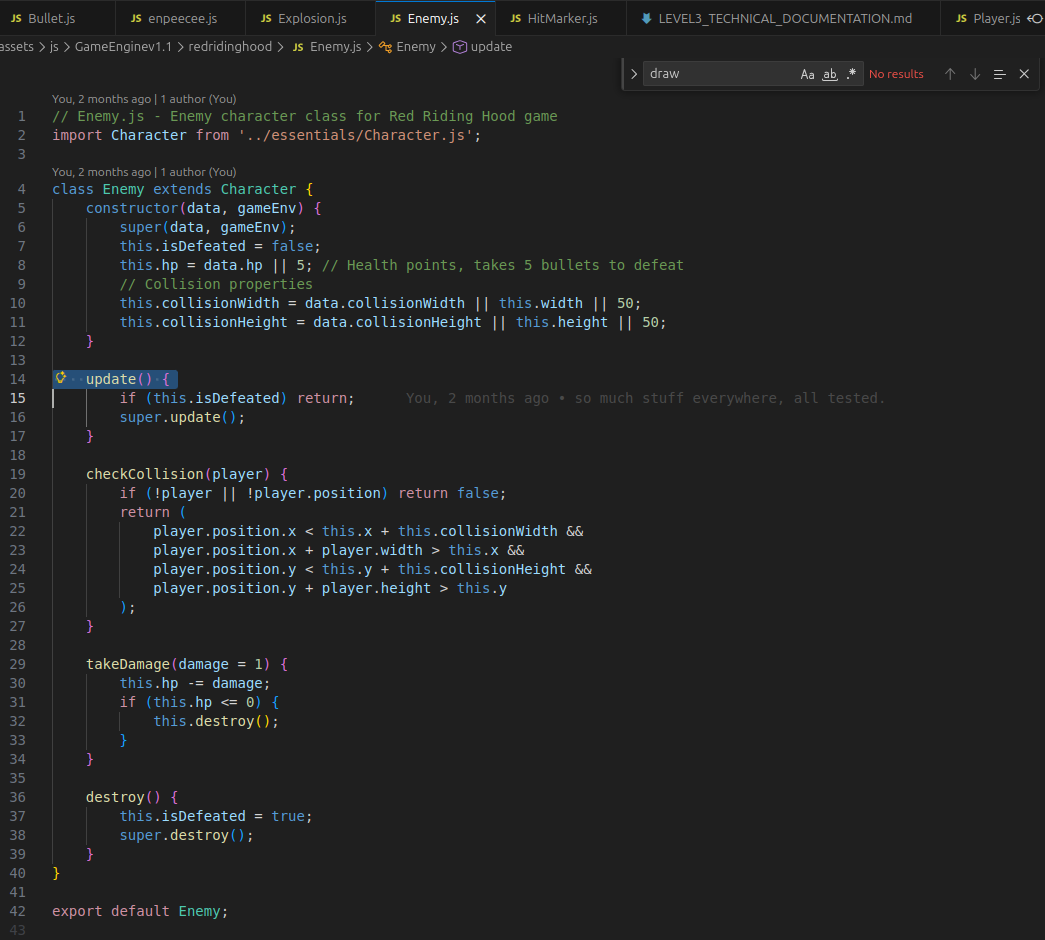
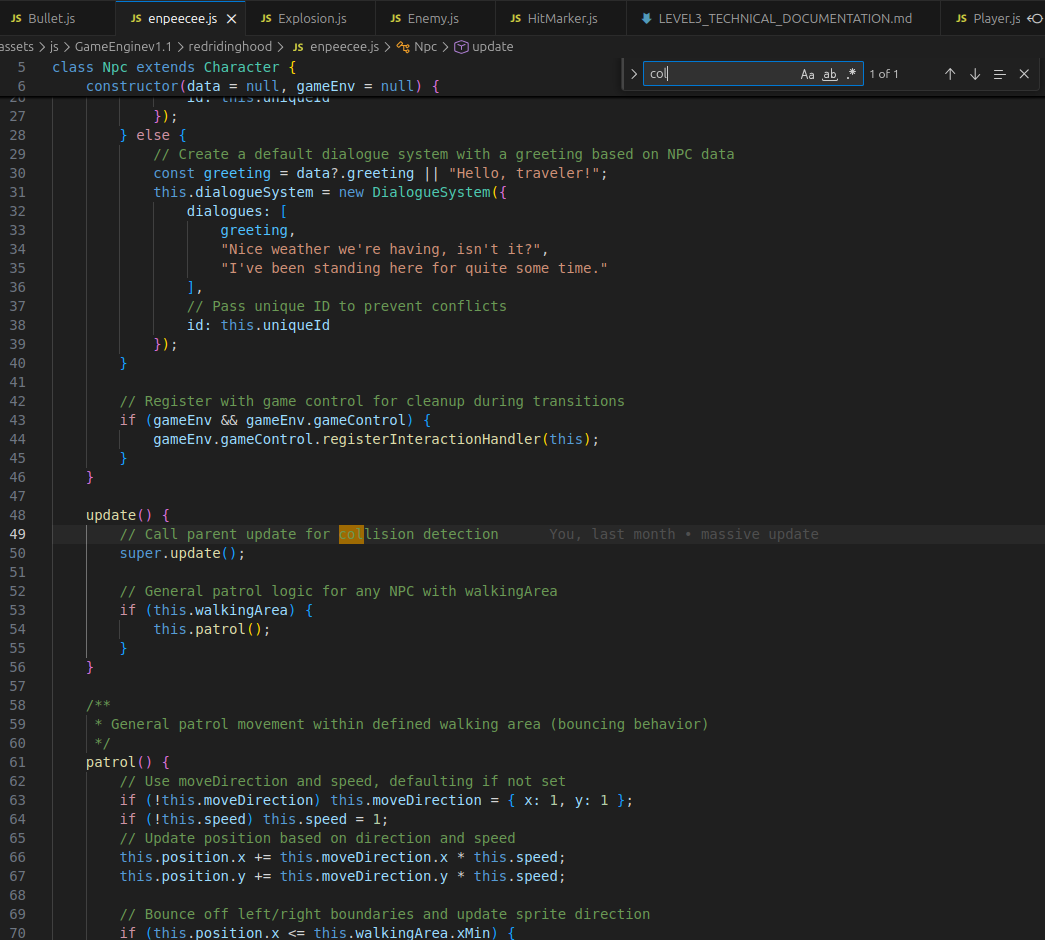
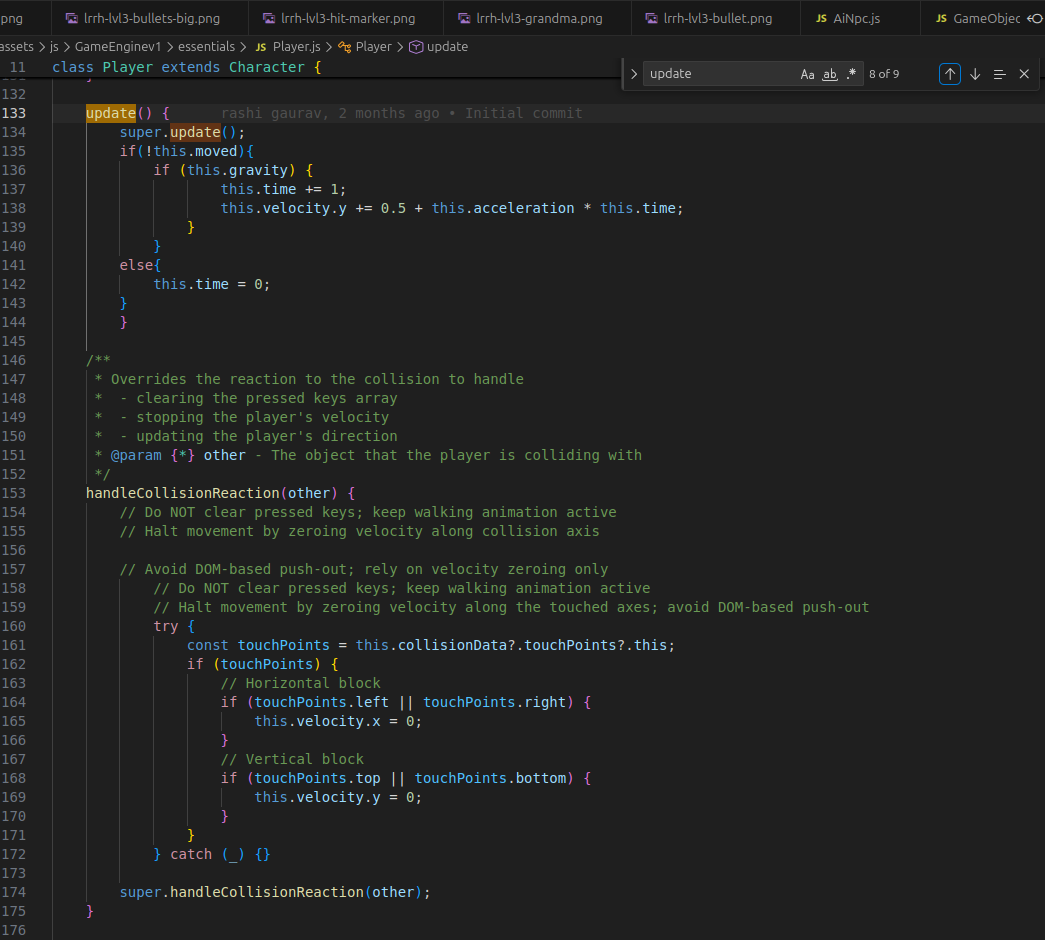
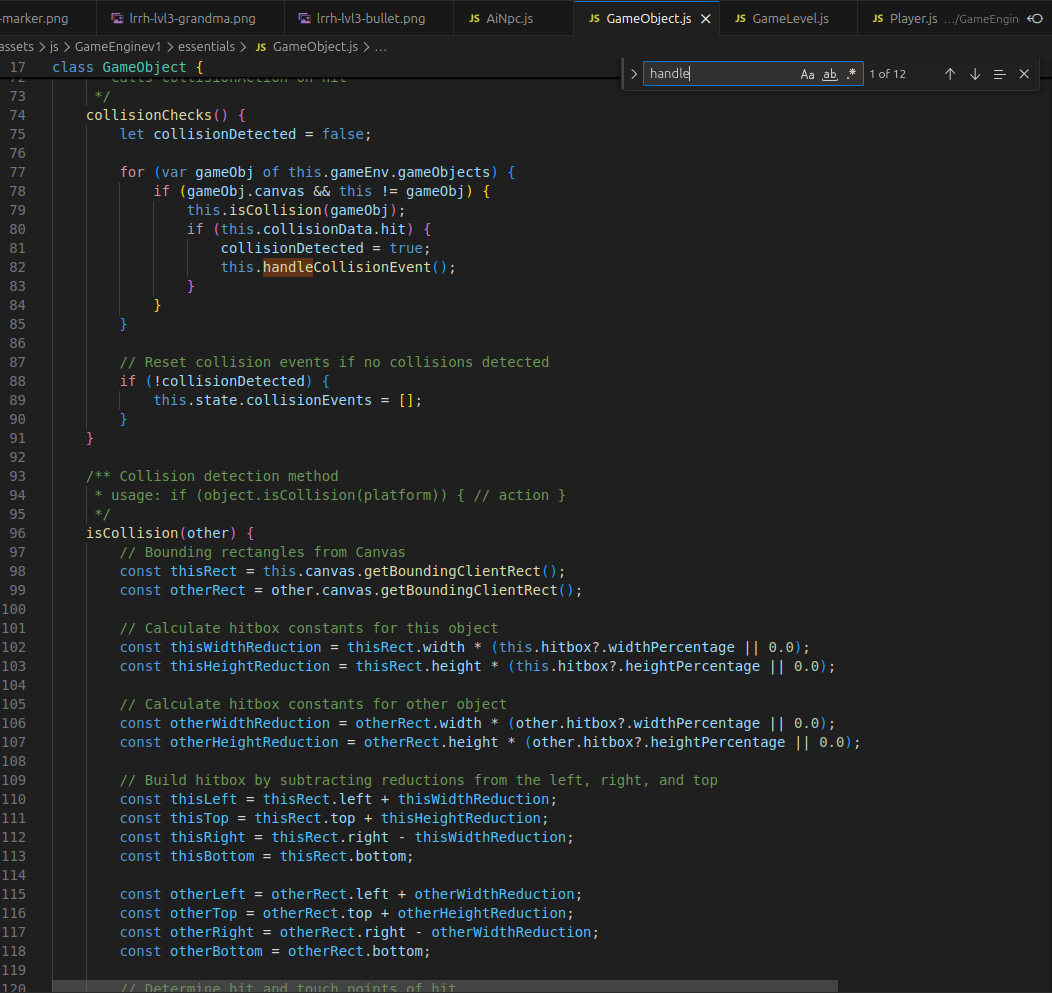
Method overriding happens when a child class replaces a method from a parent class with its own custom version.
This is important in games because different objects may need different behaviors even if they share the same base structure.
Example: Character.js:
update() {
    super.update();

    if(!this.moved){
        if (this.gravity) {
            this.time += 1;
            this.velocity.y += 0.5 + this.acceleration * this.time;
        }
    }
    else{
        this.time = 0;
    }
}
Player.js
update() {
    this.draw();
    this.collisionChecks();
    this.move();
}
Not completely replacing the parent behavior.
I also use:
super.update();
This means:
“Run the original Character update first, THEN add custom Player behavior.”
That is advanced OOP usage and very good rubric evidence.
This proves polymprphic implementation, meaning Code outside doesn’t need to know the exact subclass It can call object.update() or object.handleCollision(…) The correct subclass version runs at runtime.
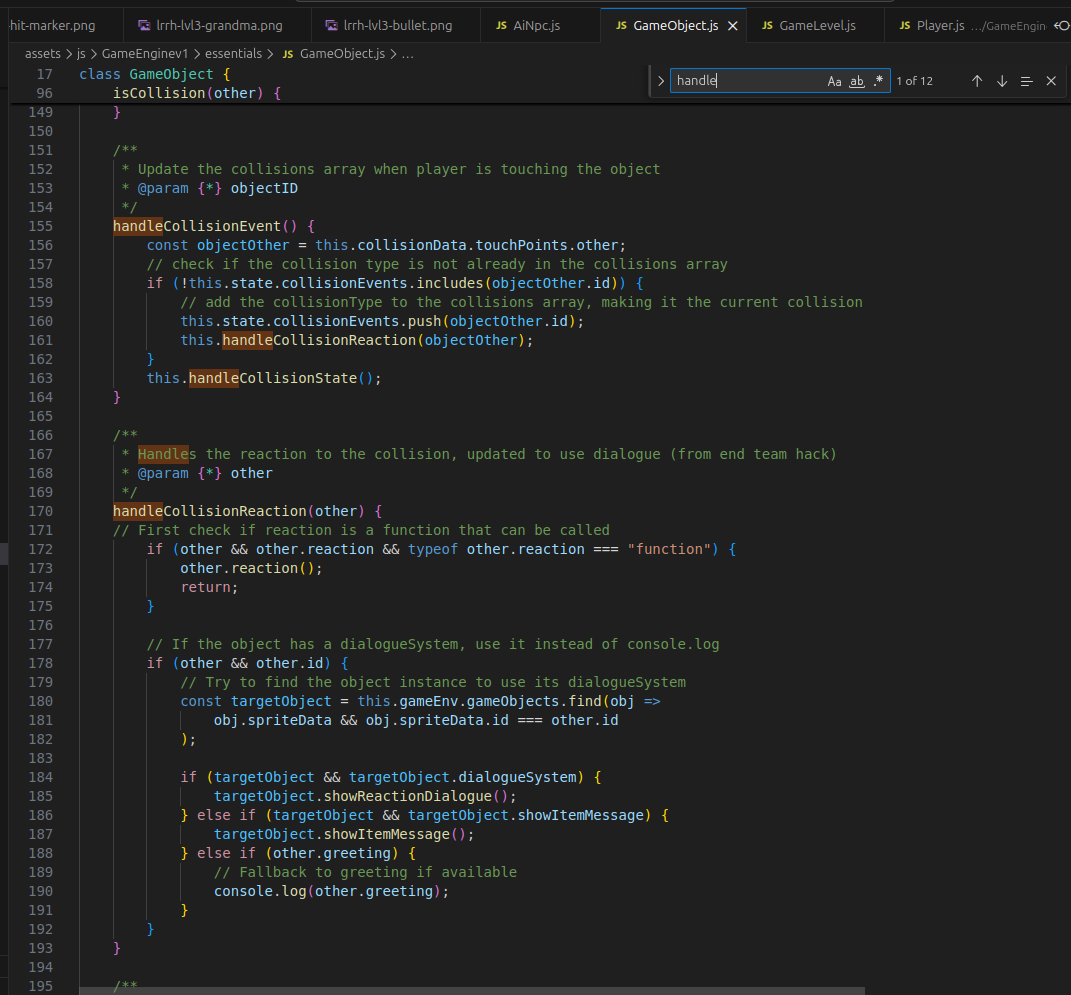
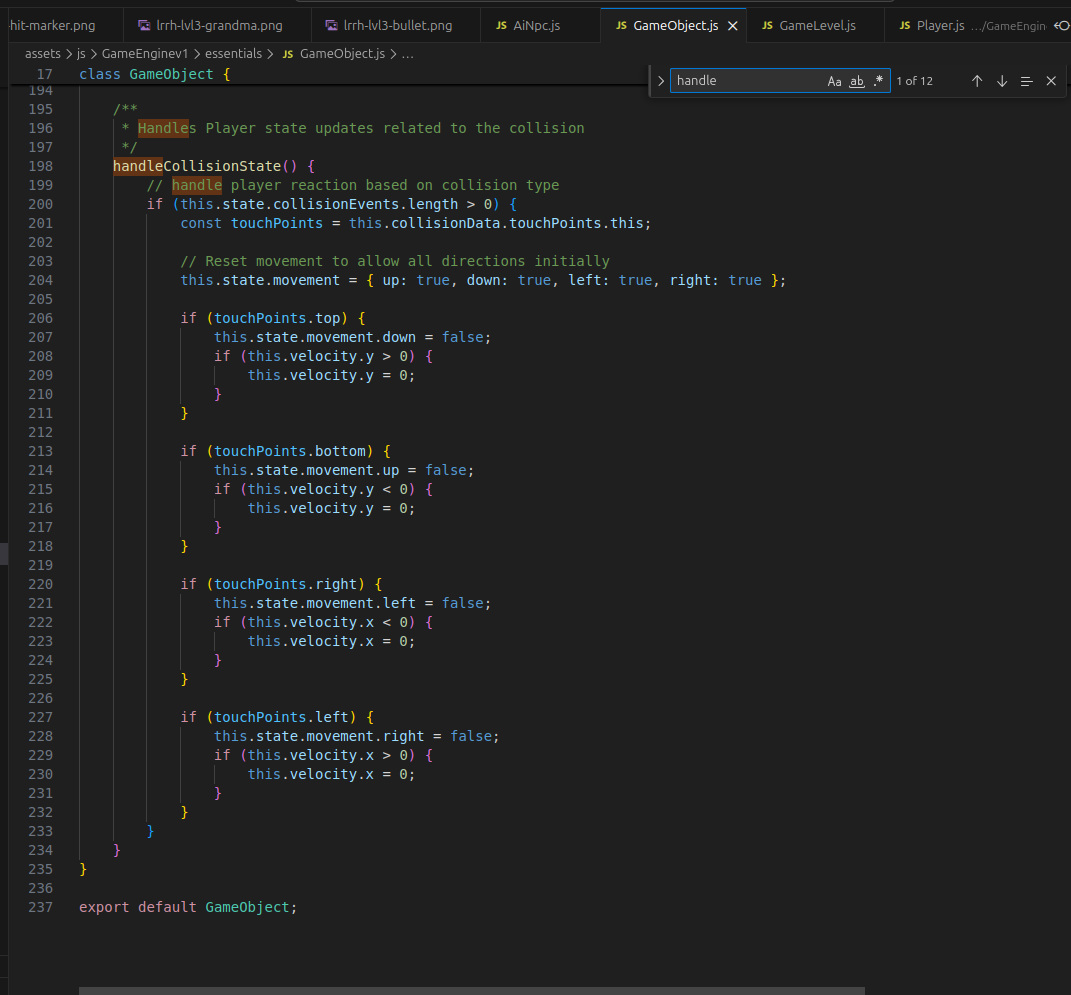
Constructor Chaining
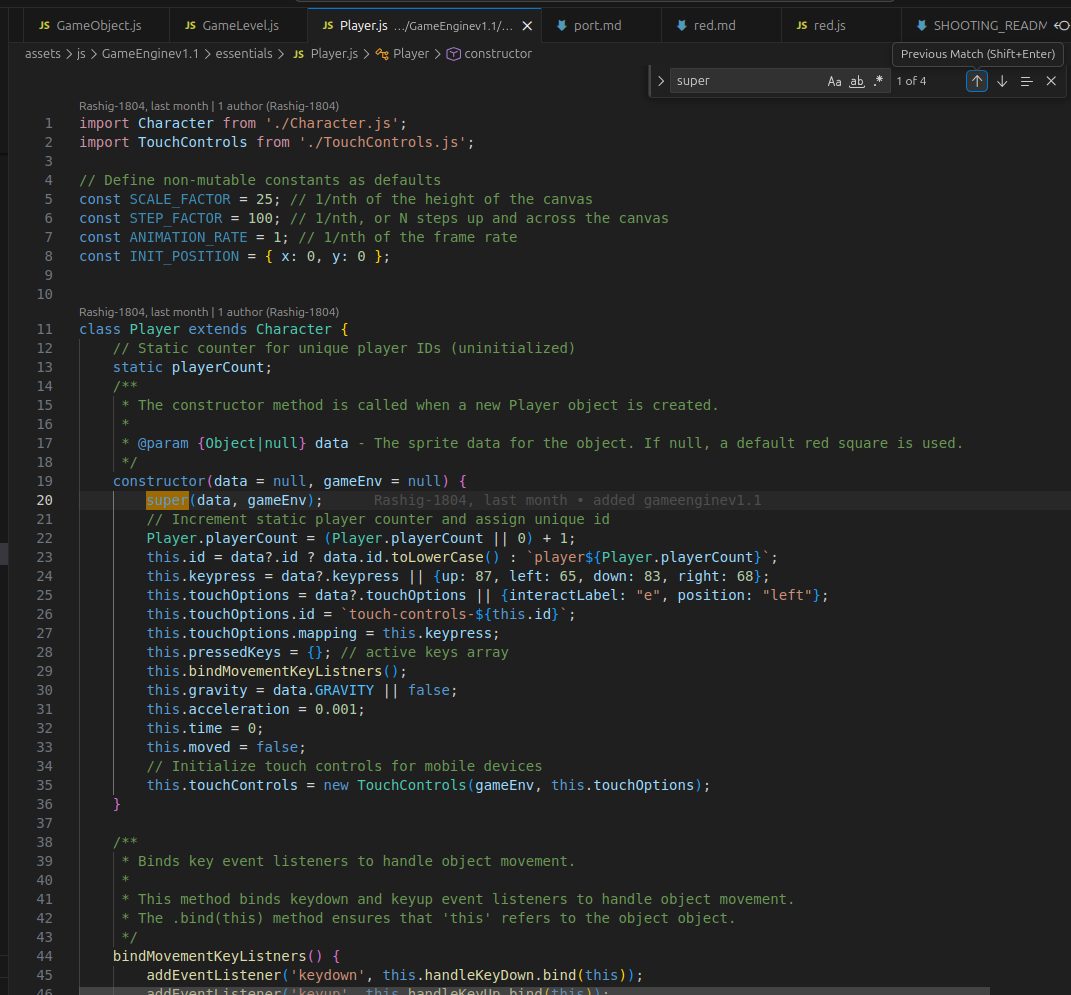
basically using super() to chain constructors like:
Super notes
super is used in a child class to access things from the parent class.
constructor(data = null, gameEnv = null) {
    super(data, gameEnv);
}
++ means increase the value by 1.
forEach is a method used to go through every item in an array one at a time.
catch is used for handling errors in code. It works with try. Basic structure:
try {
    // code that might fail
} catch (error) {
    // code that runs if there is an error
}